
MPE stands for MIDI Polyphonic Expression. It's an extension of MIDI 1.0 that lets you bend, swell or change the tone of one note while the other notes in a chord stay steady.
It gives electronic instruments some of the control you'd have on an acoustic instrument, like adding vibrato to one string while another rings out.
If you're used to piano keys, start with the Expressive E Osmose 49 CE. Its keys respond to individual bends and pressure while keeping the layout you already know.
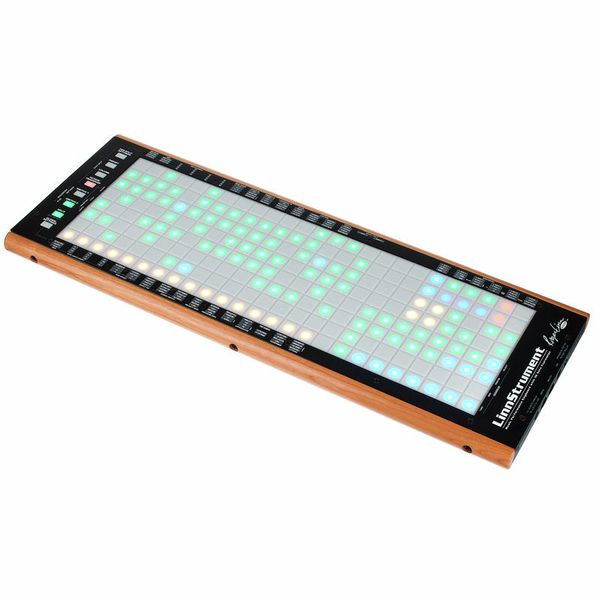
For a pad layout, the Roger Linn Design LinnStrument puts 200 expressive pads under your fingers. The rows are tuned in fourths by default, so chord shapes can feel familiar to guitarists.
Try holding a chord and bending only the lowest note. That's easy to demonstrate on a guitar, and MPE brings the same idea to a synth part.
To record those gestures, pair a controller with an MPE-capable instrument and a setup that preserves its MIDI channels. You can also draw and edit note expression directly in Ableton Live or Bitwig Studio.
How is MPE different from MIDI?
In regular MIDI, every note already has its own note number and strike velocity. Pitch bend, channel pressure and most control changes normally affect all notes sounding on that channel. MPE gives active notes separate channels so those messages can shape a single note at a time.
You can edit note expression without an MPE controller if your DAW and instrument support it. A controller makes it easier to capture the changes while you play.
Say you have a chord progression and want to bend only the root note of one chord. With the notes on one ordinary MIDI channel, a pitch-bend message bends the whole chord. You could separate the root onto another channel and route it to an instrument part that responds independently.
An MPE controller handles that channel assignment as you play. In a DAW with a note-expression editor, you can draw a curve on the root note or give each note a slightly different bend.
The extra control comes from the combination of the channel assignment and how the receiving instrument interprets the messages. Set the same pitch-bend range at both ends so a gesture bends by the intended interval.
How does MPE work?
An MPE setup can carry strike velocity, release velocity, pitch bend, pressure and timbre for each note. On a surface that tracks finger position, think of the last three controls as left to right, front to back, and down. The gestures vary by controller and the sound depends on the instrument patch.
The X-axis usually controls pitch. Slide your finger sideways for a bend or wiggle it gently for vibrato, much as you would move a guitar string.
The Y-axis is front-to-back movement. It's usually sent as CC74, which a patch can map to filter brightness or another timbre setting.
The Z-axis is pressure after the note begins. Press harder on a held note to open a filter or swell its volume, depending on how the patch is set up. Strike velocity describes the initial attack.
What practical differences are there with MPE controllers?
Most keyboards give you strike velocity and perhaps aftertouch. With an MPE controller, a held note can behave more like a guitar string. You can bend it as it rings and let the other notes in the chord hold their pitch.
Think of the pitch wheel on a traditional controller. When its notes share a MIDI channel, the wheel moves their pitch together. An MPE setup lets you apply a different bend to each sounding note.
The playing surface affects which gestures feel natural. Some use movable keys, some use pads, and some let your fingers glide along a continuous strip. Choose the shape that suits how you play and check which gestures the controller actually sends.
MPE-compatible MIDI controllers
Let’s look at them in more detail:

Pros
- Familiar 49-key layout
- Per-note pitch bend and pressure
Cons
- Requires a separate sound source
The Expressive E Osmose 49 CE feels most familiar if you already play keys. Move a key sideways for vibrato, press farther down to shape the sound, or use pressure glide to move between notes. The 49-key CE is a controller. Use it with an external sound source or the included Ctrl-E software.
Pros
- 200 pads with repeatable chord shapes
- Pressure and slides on individual pads
Cons
- Takes time to learn the grid
The Roger Linn Design LinnStrument uses a 200-pad grid. By default each row starts a fourth above the one beneath it, and the same chord shape can move across the board. Rock your finger left and right for vibrato or add pressure to bring a single note forward. The 200-pad model spans five octaves in its default tuning and gives you more room for long slides than the 128-pad version.
Pros
- Continuous pitch across 46 semitones
- Built-in EaganMatrix sound engine
Cons
- Pitch placement takes practice on the continuous surface
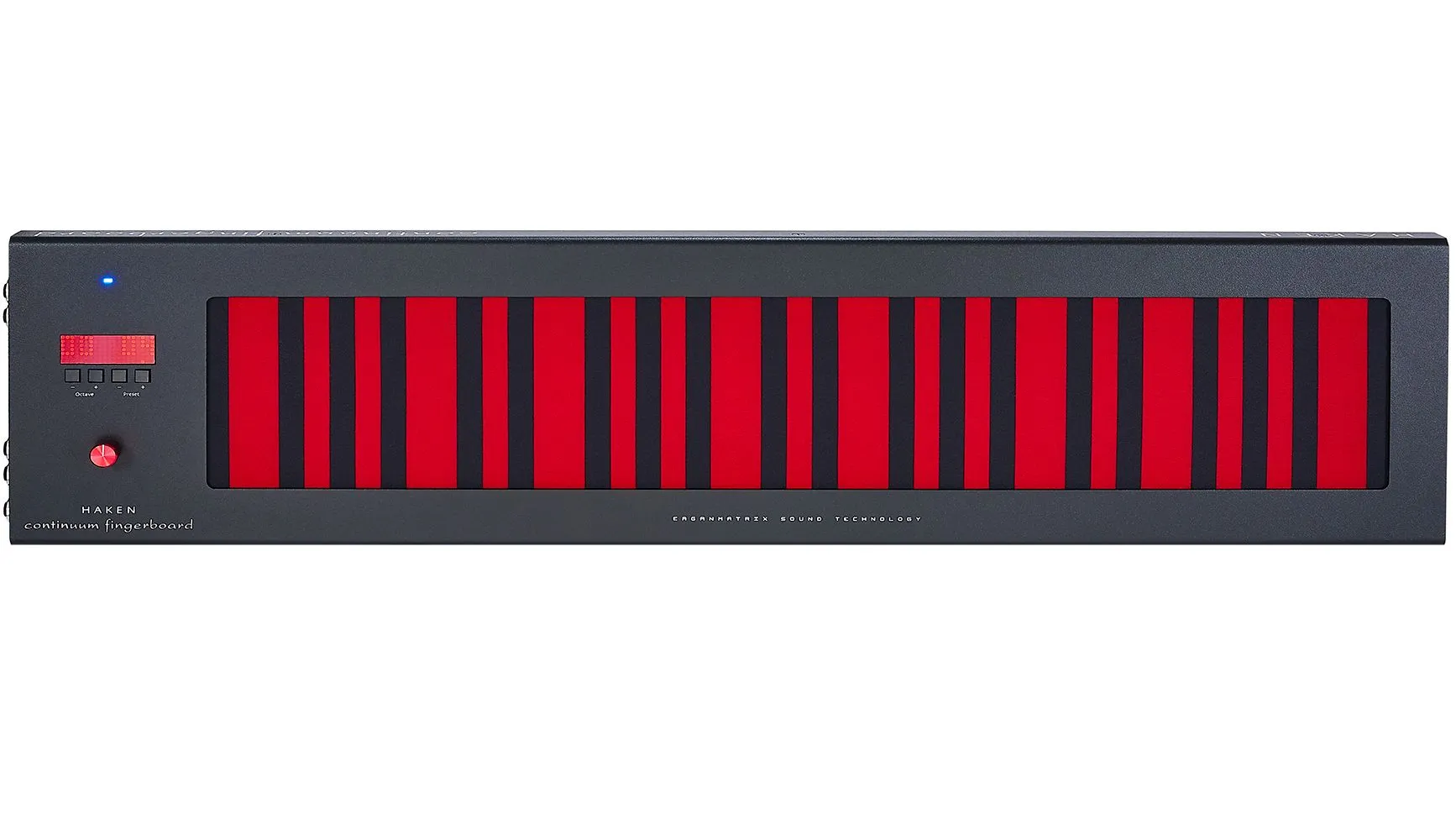
The Haken Audio Slim Continuum 46s8x has a continuous neoprene playing surface marked out across 46 semitones. It suits slow glides, microtonal phrasing and playing that starts between semitones. It also works as a standalone instrument with Haken's EaganMatrix sound engine. U.S. buyers can order the standard Slim46 46s8x package from Haken Audio.
Pros
- Independent tracking for all six strings
- Standard guitar output alongside MIDI
Cons
- Needs USB power for MIDI operation
Watch Jamstik demonstrate the Core’s per-string tracking.
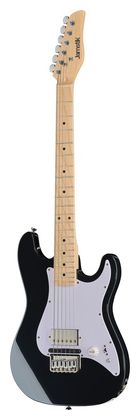
The Jamstik Core MIDI Guitar (Midnight Black) sends pitch and articulation from each string separately. Use its onboard selector to switch to MPE and try a bend on one string while another rings. The Core has a compact body, a full 25.5-inch scale and a standard guitar output alongside USB-C and TRS MIDI.
Pros
- Custom pad, key and fader layouts
- Onboard MIDI looper
Cons
- Erae Sound is a separate purchase
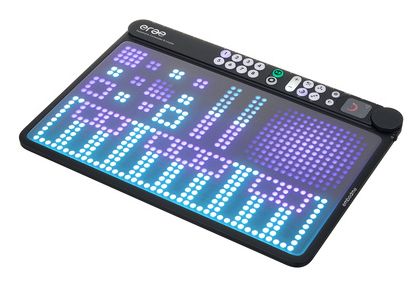
The Embodme Erae 2 gives you a programmable touch surface. Set up pads, keys and faders in Erae Lab, then use the same surface for melodic slides and drum triggering. The hardware has an eight-track MIDI looper and ships with a fabric skin for finger playing. The manufacturer's hardware-only listing is a separate purchase from the Erae Sound software.
MPE compatible DAWs
Cubase, Logic Pro, Ableton Live and Bitwig Studio can work with MPE. Support can differ by instrument and by version. In particular, check whether the software can record, edit and pass through per-note expression, and whether your chosen patch responds to it. Check the same points if you work in Pro Tools, REAPER, GarageBand or FL Studio.
Do you need an MPE controller to use MPE?
You can draw note expression directly in a compatible DAW. A controller is useful when you want those changes to follow the way you play.
Ableton Live added MPE editing in Live 11. Select a MIDI clip and open Note Expression to edit pitch bend, slide and pressure on individual notes. Try a compatible instrument such as Wavetable to hear the difference.
To record from a hardware controller in Live, open the Link, Tempo & MIDI settings and enable MPE for the controller's input port if it needs to be set manually. Record a short chord and check the expression lanes before you record a full take.
Can you use MPE with non-compatible DAWs?
It depends on what the DAW passes through. If it preserves separate MIDI channels and forwards pitch bend, pressure and CC74, an MPE instrument can still respond even if the DAW has no dedicated note-expression editor. For a simple part, you can also assign separate notes to separate instrument channels and draw the bends there.
What’s the difference between MPE and midi 2.0?
MPE uses MIDI 1.0 channels to give individual notes their own expression messages. The MIDI 2.0 protocol has dedicated per-note messages and higher resolution, along with broader changes to how compatible devices communicate.
For an MPE setup, check MPE support along the whole signal path. A MIDI 2.0 label alone won't tell you whether a controller, DAW and instrument will exchange the MPE messages you need.
Summary
MPE lets you record and edit the bend, pressure or timbre of a single note while a chord plays. Start with a compatible instrument and try bending one note of a held chord.
Choose a controller by the gestures you want to play. Keys are a familiar starting point, a grid gives you repeatable chord shapes, and a continuous surface lets you glide freely between pitches. You can draw the same kinds of changes in a compatible editor when you don't have a dedicated controller.