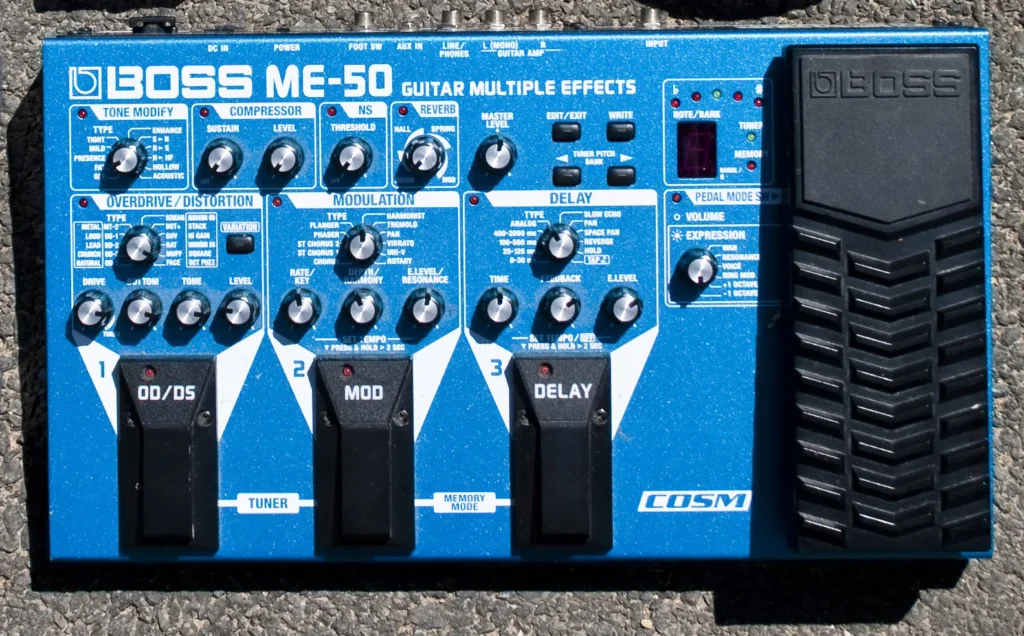
A guitar multi-effects pedal puts several effects in one unit and can also supply amp and cabinet sounds for direct playing. Choose one around your switching habits, recording needs and existing amplifier, so the controls fit the way you play.
My top pick is the BOSS ME-90. Its physical controls, eight footswitches and onboard expression pedal suit guitarists who want to build sounds without relying on touchscreen editing.
My budget pick is the Zoom G1X FOUR. Its expression pedal, rhythm patterns and looper make it a sensible first processor for exploring guitar sounds.
The 5 Best Guitar Multi-Effects Pedals (2026)
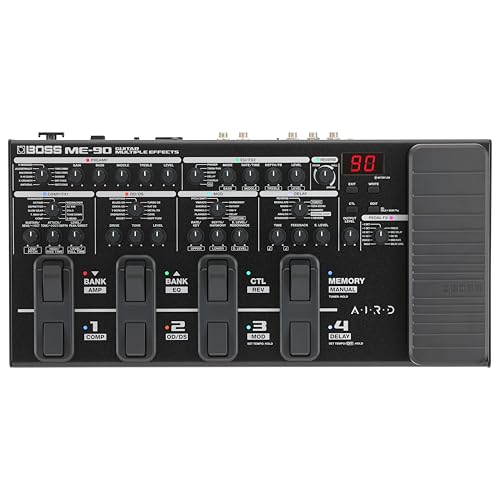
Its physical controls, eight footswitches and onboard expression pedal suit guitarists who want to build sounds without relying on touchscreen editing.

Its expression pedal, rhythm patterns and looper make it a sensible first processor for exploring guitar sounds.

A four-inch touchscreen and amp-capture options suit players who prefer a visual editing workflow.
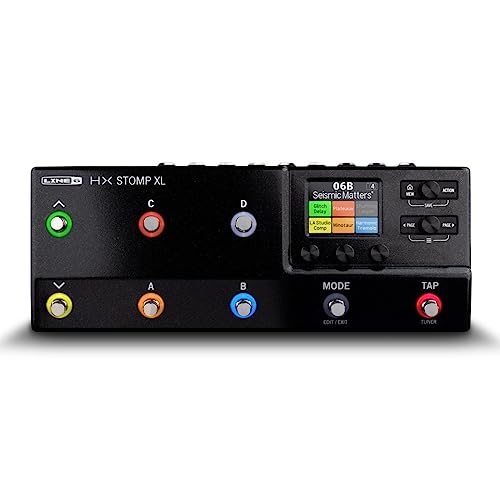
Eight footswitches and flexible HX processing make it useful alongside existing pedals or as a compact direct rig.

Its touchscreen, expression pedal and assignable chain suit guitarists who want more routing freedom in a portable unit.
1. BOSS ME-90
The ME-90 is my all-round choice for a guitarist who wants the convenience of saved sounds and the familiarity of a pedalboard. Separate knobs for its effect categories make changes easy to see. Manual mode gives you direct switching within a patch, while Memory mode recalls complete setups. The integrated expression pedal handles continuous control without another pedal beside the unit.
Its AIRD amp models and cabinet options also make direct playing possible, and the effects loop accommodates an external favorite. The tradeoff is structure: you choose sounds within the ME layout rather than designing the freely arranged paths available on some deeper processors. Choose it for quick rehearsal adjustments and ordinary clean, rhythm and lead sounds. If you enjoy elaborate parallel chains, look at the GX-10 or HX Stomp XL.
Pros
- Dedicated knobs for effect categories
- Eight footswitches and expression control
- Manual and memory modes
Cons
- Less freedom to rearrange effects than the GX-10
| Control | Knob-based interface |
| Footswitches | Eight |
| Expression pedal | Built in |
| User patches | 36 |
| External pedals | Send/return loop |
2. Zoom G1X FOUR
The G1X FOUR is the budget choice for a guitarist still working out which effects belong in a regular setup. It combines amp sounds and effects with a tuner, rhythm patterns and a short looper. The X version includes an expression pedal, so you can try wah or volume control as well as basic drive, modulation and delay combinations.
I would buy it mainly for practicing and learning how a signal chain works. Its five-effect limit encourages you to make a useful patch instead of adding everything at once. The small switch layout is less convenient for changing several effects independently during a song. USB serves power and software communication; do not assume that a USB socket makes it an audio-recording interface. Check the recording features specifically if that is part of your plan.
Pros
- Built-in expression pedal
- Rhythm patterns and practice looper
- Compact first processor
Cons
- Limited footswitches for turning individual effects on and off
- USB connection cannot record audio
| Simultaneous effects | Up to five |
| Expression pedal | Built in |
| Looper | Up to 30 seconds |
| Rhythm patterns | 68 |
3. HeadRush Flex Prime
The Flex Prime suits guitarists who want to arrange a rig visually and explore both modeled sounds and captured amp tones. Its touchscreen puts the chain in front of you, and third-party cabinet impulse responses provide another way to change the direct sound. USB recording and onboard practice tools give it a role at the desk as well as on a board.
Choose it if you would rather edit a visible chain than learn a dense grid of physical knobs. Capture support is useful when a particular amp sound matters, but a capture has a different editing scope from a fully modeled amp. Spend time preparing footswitch assignments before taking it to a gig. A compact control surface still needs a switching plan, especially if several independent effects change within one song.
Pros
- Visual touchscreen editing
- Amp-capture and cabinet IR options
- USB recording and practice tools
Cons
- Three footswitches limit direct effect switching
| Screen | 4-inch touchscreen |
| Cabinets | Third-party IR loading |
| Recording | USB audio |
| Practice | Looper and drum machine |
4. Line 6 HX Stomp XL
The HX Stomp XL is my choice for a guitarist who wants a programmable processor inside an existing pedalboard. Its expanded switching gives you more immediate control than the smaller HX Stomp, while amp, cabinet and effect blocks can cover the parts of the rig you want to replace. Snapshots let you store variations within one preset, which is useful for different sections of a song.
It can also serve as a USB audio interface, with recording and re-amping options. There is no built-in expression pedal, so include an external one in your space and power planning if you need continuous wah or volume control. The eight-block maximum is also subject to available DSP: a demanding chain can reach its processing limit earlier. Choose it for integration and prepared live control rather than the largest possible model count.
Pros
- Eight onboard switches
- Snapshots within a preset
- USB recording and re-amping
Cons
- No built-in expression pedal
- Demanding effects can use up the DSP before you reach eight blocks
| Processing | Up to eight blocks, DSP permitting |
| Footswitches | Eight capacitive-touch switches |
| USB audio | Multichannel interface |
| Expression pedal | External pedal optional |
5. BOSS GX-10
The GX-10 is a good alternative to the ME-90 when changing effect order and building more flexible paths matters more than having a knob for every section. Its touchscreen supports drag-and-drop editing, and the send/return loop brings an external pedal into a patch. An integrated expression pedal keeps the basic guitar rig self-contained.
It has only three main footswitches, so decide whether you will scroll through song presets or assign them to individual changes. That is a different experience from the eight-switch ME-90 and HX Stomp XL. USB audio is useful for home recording. Wireless editing requires the optional BOSS Bluetooth adapter; the socket alone does not mean Bluetooth is included. Choose the GX-10 for its routing and small footprint, then organize a few dependable sounds before filling its memory.
Pros
- Flexible chain routing
- Integrated expression pedal
- Touchscreen and USB audio
Cons
- Three main footswitches limit direct effect switching
- Bluetooth editing requires an optional adapter
| Amp types | 32 total, including 23 guitar amps |
| Effect types | 170 |
| Assignable blocks | Up to 15, subject to configuration |
| User memories | 198 |
| Expression pedal | Built in |
How Do You Choose a Guitar Multi-Effects Pedal?
Start with how you will hear it. A processor going into the front of a conventional guitar amp needs a different setup from one feeding headphones, a mixer or a powered full-range speaker. For direct listening, amp and cabinet processing usually provide the intended complete guitar sound. Into a guitar amp, you may prefer effects only, or a carefully configured amp model with appropriate output settings.
Next, decide how you change sounds. A guitarist who switches clean, crunch and lead presets between songs can work with a small set of footswitches. Someone turning delay, modulation and boosts on independently during a song benefits from more direct access. Buy for the sounds and controls you will actually use, rather than the largest number printed on the box.
Can a Multi-Effects Pedal Replace Your Amplifier?
A multi-effects pedal with amp and cabinet modeling can replace the tone-generating parts of an amp rig for headphones, recording or a suitable PA setup. It still needs a way to make the sound audible. Most processors here do not contain a speaker power amplifier, so you cannot connect their normal output directly to a passive guitar cabinet and expect it to work.
For direct gigs, plan the mixer connection and how you will monitor yourself. For an existing amp, follow both devices’ instructions and match the processor’s output mode to the destination. An effects-loop return bypasses parts of some amps, but the details depend on that amp. If you want a complete small amplifier instead, our guitar practice amp guide covers that separate purchase.
What Is the Difference Between Amp Models, Captures and Cabinet IRs?
An amp model recreates an amplifier through an adjustable digital design. A capture represents the behavior of a particular rig and setting, so its controls do not necessarily reproduce every adjustment on the original amplifier. A cabinet impulse response describes a speaker-and-microphone response used to shape the sound after an amp model or capture.
The distinction matters when editing. A capture you enjoy can be a quick route to one sound; a model may provide broader amp-style controls. Cabinet choice also has a large effect on a direct tone. Avoid stacking unnecessary cabinet simulations when using a real guitar speaker, and use the processor’s routing or output options if you need separate stage and direct feeds.
Are More Effects Always Better?
A long effect list gives you choices, but simultaneous processing is a separate limit. Zoom supports a small chain, while HX Stomp XL allows up to eight blocks within its DSP budget. Other processors use fixed categories or configuration-dependent limits. Check whether the delay, reverb, pitch effect and amp setup you want can run together before buying for a complicated sound.
For many guitar parts, a practical chain is shorter: a drive, one modulation effect and some delay or reverb. If you already have a preferred analog delay pedal, an effects loop can let you keep it. Leaving space in the processor for occasional pitch or ambient effects can be more useful than replacing every pedal immediately.
Which Multi-Effects Features Help With Practice and Recording?
Headphone listening, a tuner and a looper are useful at home. Rhythm patterns can help you practice against a consistent beat. A USB audio interface adds direct recording, but USB power or software editing alone does not provide that function. The G1X FOUR is a practice unit; the other selections here include USB audio facilities.
Think about monitoring when recording. Use the manufacturer’s driver and instructions, and avoid listening to a delayed software signal alongside the processor’s direct signal. If a built-in looper becomes central to your performance, check its length and foot control. A separate guitar looper pedal can make a better fit for more involved live looping.
How Should You Set Up Presets for a Gig?
Build a clean sound first, then create a rhythm and lead version at realistic playing volume. Match their perceived levels before adding a solo boost. Patches with different amp models can differ greatly in volume, and a bedroom setting may have too much low end or reverb when the band starts playing.
Assign the controls you need during a song and rehearse the changes standing up. Use the specified supply and check space around the jacks before mounting the unit on a pedalboard. If you play bass as well, our bass multi-effects selections focus on bass-oriented chains and direct-output needs.
Summary
My top pick is the BOSS ME-90 for its visible controls and eight-switch layout. The Zoom G1X FOUR is my budget choice for practice and first effects. Choose the Flex Prime for visual editing and capture options, HX Stomp XL for a hybrid board, or GX-10 for flexible routing with an onboard expression pedal. Prepare your output settings and preset levels for the destination you will use.
Photo: Shane Gavin / Wikimedia Commons, CC BY 2.0.
